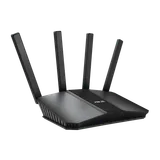
Three ways to add an access point made this list:
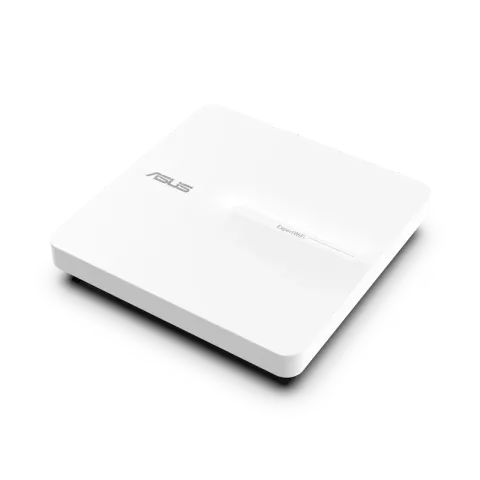
- ASUS ExpertWiFi EBA63 works with any router. It’s a Wi-Fi 6 ceiling or wall unit that runs on standard PoE.
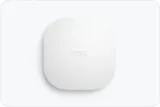
- eero PoE 7 is for homes already on eero. It’s tri-band Wi-Fi 7 with 10 GbE ports, and it needs PoE+.
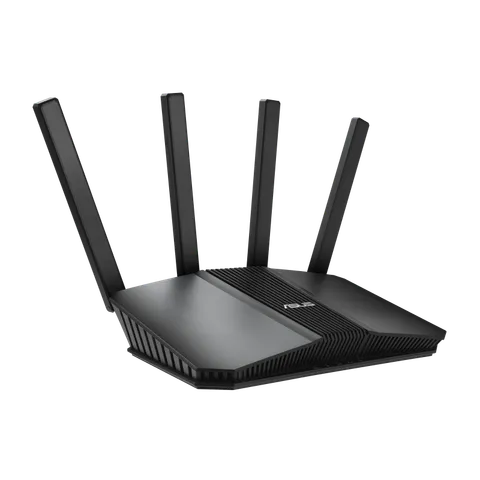
- ASUS RT-BE58U in access point mode suits you if you’d rather buy a router you can reuse later. It plugs into a power outlet instead of PoE.
We haven’t tested these devices ourselves. We picked them from the manufacturers’ specifications against the criteria below. All three come from product lines with a current FCC Conditional Approval.
When an access point is the right choice
An access point gets its connection to the router over a cable, not over Wi-Fi. That makes it the most reliable way to add Wi-Fi to a room, as long as you can get Ethernet there. If you can’t, mesh or an extender is the practical choice. Router vs access point explains how the two differ, and Ethernet, MoCA or powerline covers ways to get a wired link to the room.
In access point mode, the main router keeps doing the routing. ASUS says a router in AP mode connects to the main router by cable and relies on it to hand out addresses (DHCP). It also switches off its own NAT and firewall, and ASUS says Ethernet runs shouldn’t exceed 100 m. The same applies to a dedicated access point: one router, any number of access points.
The criteria that decide it
- A cable you can run. Every pick here needs Ethernet back to your router or switch.
- Power. A PoE access point gets its power over the same Ethernet cable from a PoE switch or injector, so it can go on a ceiling with no outlet nearby. Check the PoE class. The EBA63 runs on standard 802.3af PoE or its own 12 V adapter. eero says the PoE 7 needs at least PoE+ (802.3at). Standard 802.3af PoE won’t supply enough power; the alternative is eero’s separately sold USB-C adapter.
- Ecosystem fit. The EBA63 can run as a plain access point behind any router or as an AiMesh node with an ASUS router. The eero PoE 7 is set up and managed in eero’s app, alongside other eero units.
- Verifiable US regulatory status. As of the FCC’s notice of 9 September 2026, ASUS’s wireless access points and RT routers held an FCC Conditional Approval running to 6 March 2028. eero’s routers, which the notice lists to include the eero PoE line, held one to 31 October 2027. See the FCC router rule explained.
How the three compare
ASUS lists the EBA63 as an AX3000 Wi-Fi 6 access point, rated up to 2,402 Mbps on 5 GHz and 574 Mbps on 2.4 GHz. It has one Gigabit PoE port, VLAN support and brackets for ceiling or wall mounting. It has no 6 GHz radio, and its Gigabit port is the limit on any single link.
eero lists the PoE 7 as a BE10800 tri-band Wi-Fi 7 unit with one 10 GbE PoE+ port and one 10 GbE port. eero claims up to 2,000 sq ft of coverage per unit. That figure is eero’s claim under its own conditions. The 10 GbE ports only matter if your switch and cabling are multi-gig too; see 2.5G, 5G and 10G Ethernet explained.
The RT-BE58U is a BE3600 Wi-Fi 7 router on 2.4 and 5 GHz with a 2.5 Gbps WAN/LAN port. In AP mode it does the same job as a dedicated access point. It isn’t PoE-powered, so it needs a power outlet nearby. In exchange, it can take over as your main router later.
Why this list is short
We only include access points whose specifications we could confirm on the manufacturer’s own pages and whose US regulatory status we could match to a dated FCC notice. Popular prosumer brands are left out because they don’t appear in the FCC’s approvals notice. The notices we checked also don’t say whether a standalone access point counts as a router under the rule. Prices aren’t listed because they change constantly. Each “Check price on Amazon” button opens an Amazon search for that exact model.