Short answer: for Meta Quest Air Link, set up the network the way Meta describes before buying anything:
- the headset on 5 GHz, on a fixed channel with the width locked to 80 MHz
- the PC wired to the router
- the router in the same room, ideally one used only for VR
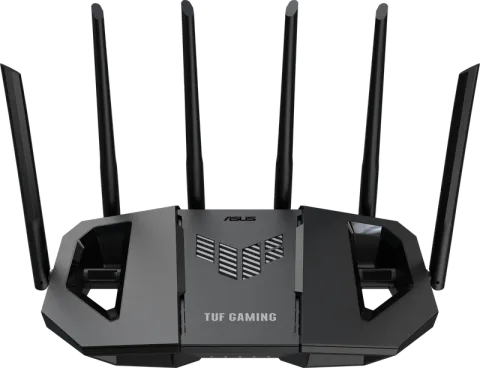
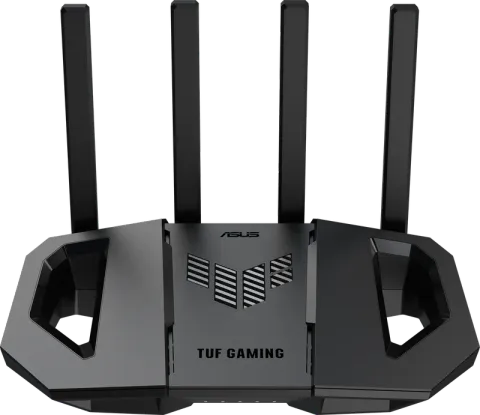
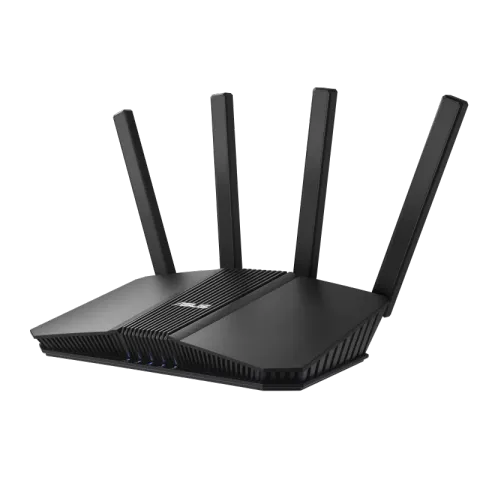
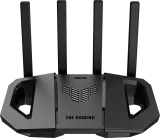
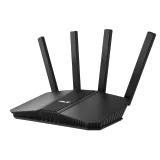
If your router can’t do that, the ASUS TUF Gaming BE6500 is the best all-round pick. The TUF Gaming BE3600 is the low-cost dedicated VR router, and the RT-BE59 sits in between. Meta’s own guidance is built around 5 GHz, so 6 GHz isn’t required to follow it.
What Meta says Air Link needs
Meta’s troubleshooting guide for Air Link checks five things, and each comes with a fix:
- Band. Use the 5 GHz band, which Meta says supports faster 80 MHz channels with less interference.
- Channel width. Set your router to a specific 5 GHz channel and lock the width to 80 MHz, if the router allows it.
- Ethernet. Connect the computer to the router with a cable, so only the headset uses Wi-Fi.
- Latency. Keep as few devices as possible between the computer and the headset, and consider a dedicated router for Air Link.
- Signal. Move closer to the router, preferably into the same room with a clear line of sight.
Meta’s setup page likewise asks for a Wi-Fi network, preferably 5 GHz. For why 5 GHz and channel width matter, see Wi-Fi bands explained, Wi-Fi channels explained and channel width explained.
How we chose
All three picks are ASUS because ASUS documents exactly how to do what Meta asks. In the router’s web interface, under Wireless and then General, you can turn off automatic channel selection and pick a 5 GHz channel. On the same page you set that band’s width, with 80 MHz among the options. ASUS says both settings are only in the web interface, not its app. How to log in to your router shows how to open it. We couldn’t find the same settings documented by the other brands we can recommend under the FCC’s router rule.
Our picks
| ASUS TUF Gaming BE6500 | ASUS TUF Gaming BE3600 | ASUS RT-BE59 | |
|---|---|---|---|
| Best for | Wired gaming PC, main router | Dedicated VR router in the play room | Middle option |
| 5 GHz radio | 4 streams | 2 streams | 3 streams |
| Channel widths | 20/40/80/160 MHz | 20/40/80/160 MHz | 20/40/80/160 MHz |
| Wired ports | 2.5 Gbps WAN, three 2.5 Gbps LAN | 2.5 Gbps WAN/LAN, four 1 Gbps | 2.5 Gbps WAN, 2.5 Gbps LAN, three 1 Gbps |
| Gaming port | Yes | Yes | No |
ASUS TUF Gaming BE6500. A dual-band Wi-Fi 7 router with a four-stream 5 GHz radio and 20 to 160 MHz channels. It has one 2.5 Gbps WAN port, three 2.5 Gbps LAN ports and a gaming port. It’s the best fit when the router already lives in the room where you play, with the PC wired to it.
ASUS TUF Gaming BE3600. The low-cost way to follow Meta’s dedicated-router advice. It’s a dual-band Wi-Fi 7 router with a two-stream 5 GHz radio, 20 to 160 MHz channels, a 2.5 Gbps WAN/LAN port, four 1 Gbps ports and a gaming port. Set it up in the play room with the PC wired to it and the headset on its own 5 GHz network.
ASUS RT-BE59. A dual-band Wi-Fi 7 router with a three-stream 5 GHz radio and 20 to 160 MHz channels. Choose it if you want more 5 GHz capability than the BE3600 without the gaming extras. The best budget Wi-Fi routers compares it with other low-cost options.
The specifications come from ASUS’s spec pages. ASUS’s RT and TUF Gaming router series held an FCC Conditional Approval to 6 March 2028 as of the FCC’s notice of 9 September 2026. See the FCC router rule explained.
Setting up a dedicated VR router
- Put the router in the play room, in line of sight of where you play (router placement covers the basics).
- Wire the PC to it with an Ethernet cable.
- Give the headset the 5 GHz network, set to a fixed channel with the width locked at 80 MHz, as Meta recommends.
- Keep other devices off it. That’s the point of a dedicated router: fewer devices between the PC and the headset.
If a second router connects to your main one, they can create two layers of address translation, which matters for some online games; double NAT explained covers when it’s a problem. Wondering whether gaming features help beyond VR? See do you need a gaming router.