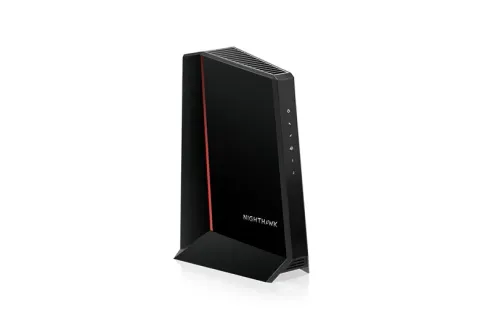
Short answer: first compare your result with the upload speed your plan promises. On cable, upload is usually a small fraction of download, so a “slow” result may just be the plan. If you’re getting less than the plan’s figure, test over Ethernet to more than one server and stop anything else that’s uploading. Ookla, which runs Speedtest, also suggests checking that QoS is off on your router. If you’re on cable and pay for a faster upload tier, check that your modem supports mid/high-split. NETGEAR says some of the fastest cable upload speeds need it.
Check what your plan promises
Cable internet is built to download much faster than it uploads. CableLabs, which writes the DOCSIS standards, gives DOCSIS 3.1’s maximums as up to 10 Gbps downstream and up to 1 Gbps upstream. Those are the standard’s limits, not what any plan sells. Real plans can be far more lopsided. NETGEAR’s examples are Xfinity tiers with 900 Mbps download and 100 Mbps upload, and 2 Gbps download with 200 Mbps upload. Plans change, so check your own plan details or your bill for the current upload figure.
Run a fair upload test
Ookla says Speedtest measures the speed between your device and a test server, and recommends testing several servers to get a complete picture. For the fairest result:
- Use a computer plugged into the router with an Ethernet cable.
- Close other apps and pause anything that uploads, such as cloud backups or photo sync.
- Run the test more than once, to more than one server.
Ookla also points out that a device on Wi-Fi and a device on Ethernet are testing two different connections, and that Wi-Fi radios vary a lot in quality between devices. If download is also below your plan, the problem isn’t specific to upload: follow not getting the internet speed you pay for instead.
Slow only on Wi-Fi
If the wired test reaches your plan’s upload speed but Wi-Fi doesn’t, the internet connection is fine and the Wi-Fi link is the limit. Try again closer to the router, then check the signal where you usually work with how to check Wi-Fi signal strength. Slow Wi-Fi walks through the rest: band, interference, and whether one device is the odd one out.
Something else is uploading
Ookla’s first step for a slow result is to look for downloads or programs, such as video chat, that may be using the connection, close them and test again. Its next steps are rebooting your computer or phone, modem and router, and making sure the router has no Quality of Service (QoS) features turned on.
A full upload hurts more than the upload itself. Bufferbloat.net defines bufferbloat as delay caused by network equipment buffering too much data, which makes calls and video stutter and games lag. If calls break up whenever a backup runs, see bufferbloat for how to test and fix it.
On cable: is your modem holding upload back?
Cable splits its frequencies between download and upload. NETGEAR explains that downstream generally uses the higher frequencies and upstream the lower ones. It also says some of the fastest DOCSIS 3.1 tiers, such as an Xfinity plan with 200 Mbps upload, can only be reached with mid/high-split technology.