Four cable devices made this list:
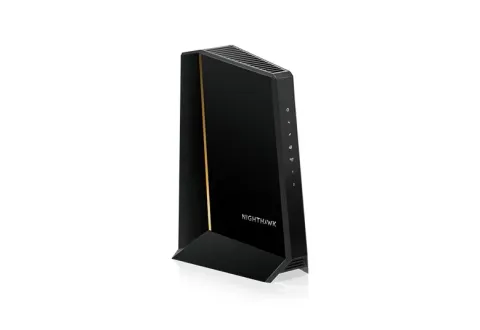
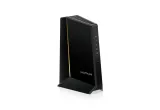
- NETGEAR CM3000 for plans above 1 Gig. Its 2.5 Gbps port and mid/high-split support give it the most headroom on this list.
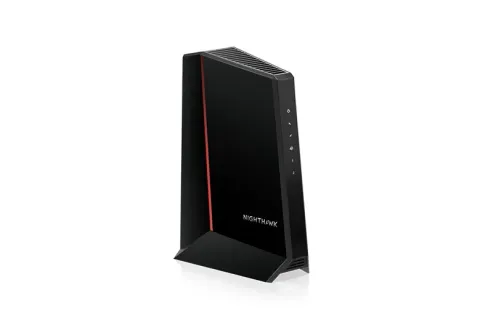
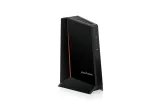
- NETGEAR CM2500 for plans up to 1 Gig. It has the same upload headroom as the CM3000, but its ports are 1 Gbps.
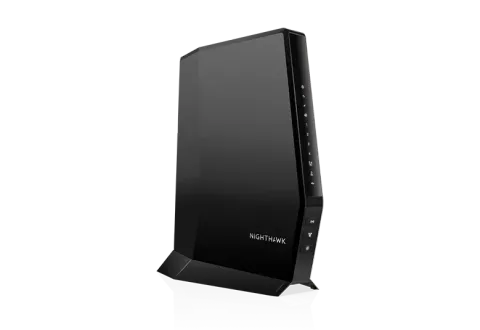
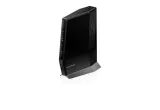
- NETGEAR CAX80 if you’d rather have the modem and Wi-Fi router in one box.
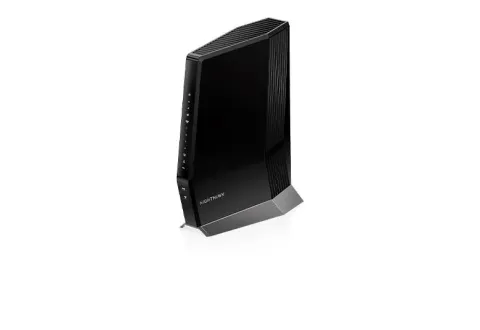
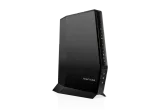
- NETGEAR CAX30S for one box on a slower plan. NETGEAR certifies it up to 800 Mbps on Xfinity and 1 Gbps on Spectrum and Cox.
We haven’t tested these modems ourselves. We picked them from NETGEAR’s specifications against the criteria below. All four are from product lines with a current FCC Conditional Approval. If you’re not sure whether you need a modem, a router or both, start with modem vs router vs gateway.
Check your ISP’s list first
A cable modem only works if your provider activates it, so the first filter isn’t a spec. Xfinity, for example, says your own modem must work with Xfinity and support your plan’s speed. It asks you to check its device list before you buy, and makes you responsible for keeping the modem updated and for troubleshooting it. Other cable providers publish their own lists. Check yours for the exact model before buying any modem on this page.
The criteria that decide it
- DOCSIS 3.1. CableLabs, which develops the DOCSIS standards, says DOCSIS 3.1 supports up to 10 Gbps downstream and 1 Gbps upstream. It also includes Active Queue Management to cut latency. If your provider doesn’t offer DOCSIS 3.1 service, NETGEAR says its 3.1 modems run as DOCSIS 3.0 modems. For lag under load, see bufferbloat explained.
- An Ethernet port that matches your plan. A 1 Gbps port caps a single cable to your router at about 1 Gbps. For faster plans you need a 2.5 Gbps port, or two 1 Gbps ports combined with link aggregation on a router that supports it. 2.5G, 5G and 10G Ethernet explained covers what the rest of your network needs.
- Mid/high-split for faster upload. Mid-split and high-split modems give upload traffic a bigger share of the cable spectrum. NETGEAR says mid-split is offered by some ISPs in some regions, high-split may follow, and you should check with your ISP. The CM3000, CM2500 and CAX80 support it, which matters if your provider rolls out faster upload tiers in your area; NETGEAR’s CAX30S page doesn’t say.
- Phone service. None of these picks works with phone service bundled by your cable company. NETGEAR says each is “not compatible with Cable bundled voice services”. If you have cable phone service, look for a voice-capable modem on your ISP’s list or keep the ISP’s gateway.
- Verifiable US regulatory status. As of the FCC’s notice of 9 September 2026, NETGEAR’s CM cable modems and CAX cable gateways held an FCC Conditional Approval running to 1 October 2027. See the FCC router rule explained.
How the four compare
NETGEAR lists the CM3000 as a DOCSIS 3.1 mid/high-split modem with one 2.5 Gbps and two 1 Gbps Ethernet ports, rated for up to 2.5 Gbps down and 1 Gbps up. NETGEAR says it’s certified for Xfinity, Spectrum and Cox. Its comparison table lists up to 2 Gbps down and 200 Mbps up on Xfinity. Those are the provider tiers it’s certified for, not a promise of speed in your home.
The CM2500 has the same mid/high-split design but two 1 Gbps ports. It reaches up to 2 Gbps only when both ports go to a router that supports link aggregation. On a plan up to 1 Gig, the faster port wouldn’t do anything for you.
The CAX80 combines a DOCSIS 3.1 modem with an AX6000 Wi-Fi 6 router on 2.4 and 5 GHz. It has four 1 Gbps LAN ports and one 2.5 Gbps port, and it doesn’t work with cable voice either.
The CAX30S is the smaller combo: a DOCSIS 3.1 modem with an AX2700 Wi-Fi 6 router and four 1 Gbps LAN ports, with no faster port. NETGEAR says it’s certified with Xfinity at speeds up to 800 Mbps and with Spectrum and Cox up to 1 Gbps, and, like the others, it doesn’t work with cable voice. Check your provider’s certification against your plan before choosing it.
Why this list is short
We only include modems whose specifications we could confirm on the manufacturer’s own pages and whose US regulatory status we could match to a dated FCC notice. Four met that bar at the last update. Other well-known cable modem brands are left out until we can verify their status. Prices aren’t listed because they change constantly. Each “Check price on Amazon” button opens an Amazon search for that exact model.
For the router side of the setup, see the best Wi-Fi routers or, for plans above 1 Gig, the best routers for multi-gig internet.