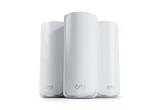
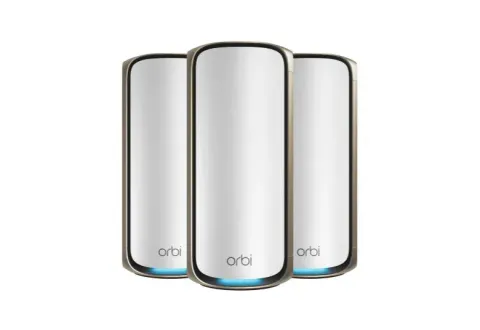
NETGEAR Orbi 770 for large homes, with 2.5 Gbps ports on every unit and a published coverage figure to plan against.
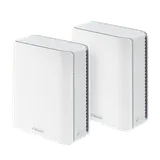
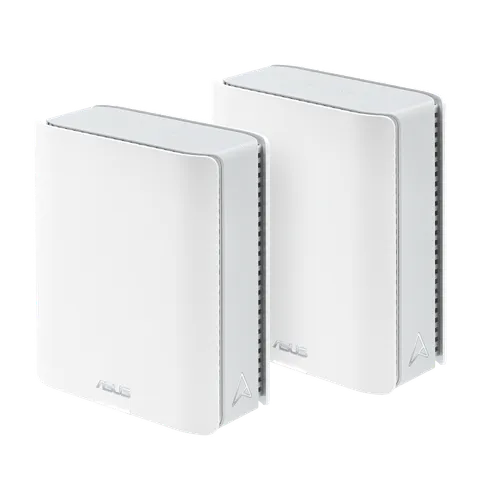
ASUS ZenWiFi BT8 for a fast 6 GHz radio, flexible pack sizes and ASUS’s AiMesh ecosystem.
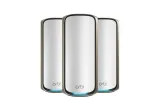
NETGEAR Orbi 970 for very large homes and plans faster than 2.5 Gbps, with 10 Gbps ports on every unit.
We haven’t tested these systems ourselves. They were picked from the manufacturers’ specifications against the criteria below, and all three come from manufacturers with a current FCC Conditional Approval for these product lines.
First: do you need mesh?
Mesh is for homes where one router can’t reach every room, typically larger, multi-floor or thick-walled homes. If only one room is weak, or your router is just badly placed, there are cheaper fixes: see Mesh Wi-Fi vs router vs extender. To plan how many units you need, see How many mesh nodes do you need?
The criteria that decide it
Wired backhaul on every unit. A cable between units doesn’t use any of the wireless bandwidth your devices share, and you can mix wired and wireless links. Multi-gig ports on every unit let those cables run at full speed. See mesh backhaul explained.
6 GHz on every unit. The 6 GHz band offers wider channels and less interference from older Wi-Fi 4 and Wi-Fi 5 devices. All three picks have it on every unit.
Internet port versus your plan. The Orbi 770 and BT8 have 2.5 Gbps internet ports, enough for plans up to about 2 Gig. The Orbi 970 has a 10 Gbps internet port for faster plans; for single routers on those plans, see the best routers for multi-gig internet.
Room to grow. Pack sizes and the ability to add units later.
Verifiable US regulatory status. NETGEAR’s Orbi consumer mesh systems held an FCC Conditional Approval running to 1 October 2027, and ASUS’s ZenWiFi mesh series one to 6 March 2028, as of the FCC’s notice of 9 September 2026. See the FCC router rule explained.
The picks at a glance
System
Wi-Fi
Internet port
Ports on each satellite or unit
Wired backhaul
Coverage claim
NETGEAR Orbi 770
Tri-band BE11000
2.5 Gbps
Two 2.5 Gbps
2.5 Gbps
Up to 8,000 sq ft (3-pack)
ASUS ZenWiFi BT8
Tri-band BE14000, 6 GHz up to 8,643 Mbps
2.5 Gbps
One 2.5 Gbps WAN, one 2.5 Gbps LAN, two 1 Gbps
2.5 Gbps
None published
NETGEAR Orbi 970
Quad-band BE27000, dedicated backhaul band
10 Gbps
One 10 Gbps, two 2.5 Gbps
10 Gbps
Up to 10,000 sq ft (3-pack)
NETGEAR’s figures come from its Orbi 770 and Orbi 970 pages, and ASUS’s from its ZenWiFi BT8 specifications. Coverage figures are each manufacturer’s claim under its own assumptions, not a measurement of your home.
Orbi 970. NETGEAR lists it as quad-band, with one band set aside for the link between units, a 10 Gbps internet port, and a 10 Gbps port on every satellite for a 10 Gbps wired backhaul. It’s the pick when the home is very large, the units have to talk wirelessly over long distances, or the plan is faster than 2.5 Gbps.
Extending mesh outdoors
If you want coverage on a patio, in a garden or out to a detached garage, some mesh systems offer weatherproof outdoor units that join the same network. eero’s Outdoor 7 is rated IP66 and needs PoE+ power, and ASUS’s ZenWiFi BD5 Outdoor is rated IP65 and runs on PoE+ or mains power; each joins its own maker’s system (eero, or ASUS AiMesh). So choose the indoor system with the outdoor unit in mind.
Keeping a mesh system up to date
A mesh system sits at the heart of your network, so how long its maker keeps issuing security updates is worth weighing alongside its specifications. CISA advises updating router firmware routinely to protect against known vulnerabilities, and setting up automatic updates where the router allows it. ASUS routers, for example, have an Auto Firmware Upgrade option under Administration > Firmware Upgrade that installs new firmware at a time you choose. That guide covers ASUS routers, so check your mesh system’s app or manual for how its other units update. How to update your router’s firmware covers the steps for each maker.
Updates don’t last forever. NETGEAR says products that reach End of Service no longer receive firmware updates, including important security updates, and that this generally happens three years after a product’s last sale date. ASUS publishes a list of end-of-life networking models that are no longer updated with firmware, which you can check a model against before you buy.
Why this list is short
We only include systems whose specifications we could confirm on the manufacturer’s own page and whose US regulatory status we could match to a dated FCC notice. Three systems met that bar at the last update; we’ll add others as they’re verified. Prices aren’t listed because they change constantly; each system’s “Check price on Amazon” button opens its Amazon listing, where you can see the current price (the BT8 button opens the 2-pack).
Our picks
01
Best for large homes, with a coverage benchmark
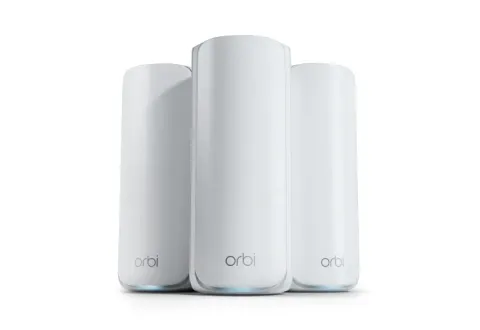
NETGEAR Orbi 770 (3-pack)
NETGEAR · RBE773
Image: NETGEAR
Why it's here
Tri-band Wi-Fi 7, 2.5 Gbps ports on the router and every satellite, a 2.5 Gbps wired backhaul option, and a published coverage figure to plan against.
Our analysis Editorial
Best for
Larger or multi-floor homes that need coverage from several units
Homes where satellites can be connected by Ethernet (2.5 Gbps wired backhaul)
Not for you if…
Plans faster than 2.5 Gbps (the internet port is 2.5 Gbps)
Small homes where one router covers everything
Strengths
Tri-band Wi-Fi 7 with 6 GHz on every unit
2.5 Gbps ports on the router and satellites, with a wired backhaul option
Automatic firmware updates
Limitations
No 10 Gbps ports
Coverage figure is NETGEAR's claim for the 3-pack, not a measurement
Manufacturer specifications Manufacturer
Wi-Fi
Wi-Fi 7 (802.11be)
Speed class
BE11000
Bands
2.4 GHz + 5 GHz + 6 GHz
WAN port
1× 2.5 Gbps
LAN ports
3× 2.5 Gbps
Mesh
Proprietary mesh
Coverage
NETGEAR claims up to 8,000 sq ft (3-unit system)
Subscription
NETGEAR Armor (optional)
Specifications from NETGEAR, checked October 4, 2026.
Things to know
US regulatory status: FCC Conditional Approval (expires October 1, 2027), as of October 4, 2026. Per Federal Communications Commission public notice. What this means
Tri-band Wi-Fi 7 with a fast 6 GHz radio, 2.5 Gbps WAN and LAN on each unit, sold in 1-, 2- and 3-unit packs, and part of ASUS's AiMesh.
Our analysis Editorial
Best for
Homes that want tri-band Wi-Fi 7 mesh with 6 GHz on every unit
Existing ASUS users who want to stay in AiMesh
Not for you if…
Plans faster than 2.5 Gbps
Buyers who need a published coverage figure to plan (ASUS publishes none for this model)
Strengths
Tri-band Wi-Fi 7 with a fast 6 GHz radio
2.5 Gbps WAN and LAN ports on each unit for wired backhaul
Sold in 1-, 2- and 3-unit packs
Limitations
No 10 Gbps ports
Manufacturer specifications Manufacturer
Wi-Fi
Wi-Fi 7 (802.11be)
Speed class
BE14000
Bands
2.4 GHz + 5 GHz + 6 GHz
WAN port
1× 2.5 Gbps
LAN ports
1× 2.5 Gbps, 2× 1 Gbps
Mesh
Proprietary mesh
Coverage
Not specified by manufacturer
Subscription
Not specified by manufacturer
Specifications from ASUS, checked October 4, 2026.
Things to know
US regulatory status: FCC Conditional Approval (expires March 6, 2028), as of October 4, 2026. Per Federal Communications Commission public notice. What this means
Quad-band Wi-Fi 7 with a dedicated backhaul band, a 10 Gbps internet port and a 10 Gbps port on every satellite, for big homes and plans above 2.5 Gbps.
Our analysis Editorial
Best for
Very large or multi-floor homes that need several units
Multi-gig plans and homes that can wire satellites at 10 Gbps
Not for you if…
Small or medium homes a cheaper system already covers
Homes without 6 GHz devices or multi-gig wiring
Strengths
Quad-band Wi-Fi 7 with a dedicated backhaul band
10 Gbps internet port, and a 10 Gbps port on every satellite
Limitations
Coverage figure is NETGEAR's claim for the 3-pack, not a measurement
NETGEAR's security subscription (Armor) is extra after the trial
Manufacturer specifications Manufacturer
Wi-Fi
Wi-Fi 7 (802.11be)
Speed class
BE27000
Bands
2.4 GHz + 2× 5 GHz + 6 GHz
WAN port
1× 10 Gbps
LAN ports
1× 10 Gbps, 4× 2.5 Gbps
Mesh
Proprietary mesh
Coverage
NETGEAR claims up to 10,000 sq ft (3-unit system)
Subscription
NETGEAR Armor (optional)
Specifications from NETGEAR, checked October 8, 2026.
Things to know
US regulatory status: FCC Conditional Approval (expires October 1, 2027), as of October 4, 2026. Per Federal Communications Commission public notice. What this means
We started from the criteria explained at the top of this page, then compared
manufacturer specifications and, where available, measurements published by
independent testers (always attributed). Each pick states why it is here and who it is
not for. We have not tested these products ourselves.
No manufacturer paid for inclusion, and affiliate commissions do not influence which
products we list. Read our full methodology.
Article history
UpdatedAdded a section on keeping a mesh system up to date - automatic firmware updates and how long makers support their systems.
UpdatedAdded the NETGEAR Orbi 970 for very large homes and multi-gig plans, plus a section on extending mesh outdoors.
This guide is based on technical research and is checked through Router Academy's editorial validation process. Technical claims are evaluated against relevant documentation and evidence before publication.
See our editorial methodology to learn how Router Academy researches
and maintains its guides.
What we don't claim
We have not tested the products discussed on this page ourselves.
Manufacturer specifications are identified as manufacturer-provided.
Independent measurements are attributed to the organization that took them.
Router Academy testing will only be reported once real testing has occurred.
We do not show prices, star ratings or review counts.
Alex Morgan is a network technology editor focused on Wi-Fi, home networking, routers, mesh systems, and practical network troubleshooting. His editorial work centers on translating networking standards, technical specifications, and configuration concepts into clear guidance that helps readers understand how their networks work and make informed technology decisions.
There is no reliable square-foot rule for mesh nodes. A placement-first method to find the right number for your home, and what makes it go up or down.
Mesh backhaul is how your mesh units talk to each other. How shared wireless, dedicated wireless, Ethernet and coax backhaul differ, and how to improve yours.