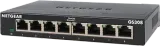

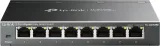
Four switches made this list, sorted mainly by size:
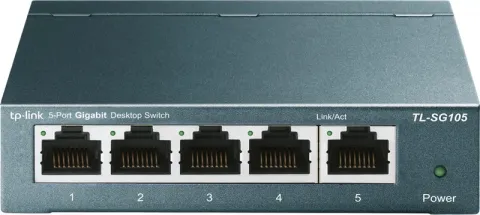
- TP-Link TL-SG105 (5 ports) for a desk or TV cabinet with a few wired devices.
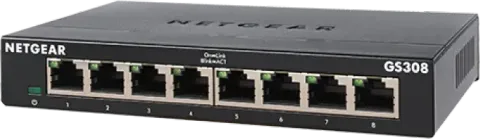
- NETGEAR GS308v3 (8 ports) for most homes. It’s the safe default if you’re unsure.
- NETGEAR GS316v3 (16 ports) for a wiring closet with Ethernet run to many rooms.
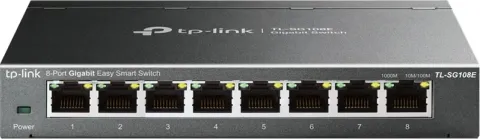
- TP-Link TL-SG108E (8 ports, Easy Smart) if you want to split devices into VLANs.
We haven’t tested these switches ourselves. We picked them from TP-Link’s and NETGEAR’s own specifications against the criteria below.
First: is a plain gigabit switch what you need?
A gigabit switch is the right buy when your internet plan is 1 Gig or slower and your wired devices have ordinary gigabit ports, which covers most TVs, consoles, desktops and streaming boxes. Two situations call for a different list:
- Your plan or a device is faster than 1 Gbps. A gigabit switch caps everything behind it at 1 Gbps. See the best multi-gig switches, and multi-gig Ethernet explained for what the faster ports need.
- Something needs power over the cable, such as an access point or a camera. See the best PoE switches.
Not sure where the switch goes or which router port to use? How to add more Ethernet ports to your router covers the setup step by step.
The criteria that decide it
- Port count. One port links the switch to your router, so a 5-port switch gives you four free ports and an 8-port switch gives you seven. Count the devices you’ll plug in today, then add one or two for later. An undersized switch means buying a second one later.
- Unmanaged or Easy Smart. An unmanaged switch has no settings: you plug it in and it works. An Easy Smart (lightly managed) switch has a settings page for VLANs, traffic priority and port monitoring. That’s only worth having if you plan to use it.
- Fanless. All four picks are fanless, so they’re silent on a desk or in a living room.
- Case and mounting. Metal cases on the smaller picks; all four can be wall-mounted according to their makers.
How the four compare
| Pick | Ports | Free ports after the uplink | Type | Max power |
|---|---|---|---|---|
| TL-SG105 | 5 × 1 Gbps | 4 | Unmanaged | 3.0 W |
| GS308v3 | 8 × 1 Gbps | 7 | Unmanaged | 3.04 W |
| GS316v3 | 16 × 1 Gbps | 15 | Unmanaged | 8.1 W |
| TL-SG108E | 8 × 1 Gbps | 7 | Easy Smart | 2.7 W |
TP-Link TL-SG105. Five gigabit ports in a fanless metal case that sits on a desk or mounts on a wall. TP-Link lists loop prevention, which helps if a cable ever ends up with both ends in the same switch, and it draws at most 3.0 W. TP-Link’s spec table says its traffic prioritization applies to hardware version 2 and later, which doesn’t matter for basic use.
NETGEAR GS308v3. Eight gigabit ports, fanless, in a metal case, drawing at most 3.04 W. NETGEAR backs it with a limited lifetime hardware warranty. If you can’t decide between five and eight ports, take this one: the three extra ports leave room for the next console or TV.
NETGEAR GS316v3. Sixteen fanless gigabit ports, with 802.1p traffic prioritization, wall-mount hardware in the box and the same lifetime hardware warranty. It draws at most 8.1 W. It’s the pick when Ethernet from many rooms ends in one closet or cabinet. NETGEAR’s page doesn’t state its case material, so we don’t either.
TP-Link TL-SG108E. The one switch here with settings. It’s an Easy Smart model you manage from a web page or TP-Link’s utility, with up to 32 VLANs, traffic priority queues, IGMP snooping and loop prevention, in a fanless metal case that draws at most 2.7 W. VLANs let you keep cameras or smart-home devices on their own network segment, but only when your router or access points support VLANs too. If you just want a separate network for guests and smart devices, your router’s guest network is usually the simpler route.
How we chose
We picked switches whose port counts, cooling and features we could confirm on the manufacturer’s own product pages, and gave each pick a different job instead of listing near-identical models. NETGEAR’s GS305v3 and TP-Link’s TL-SG108 fill the same roles as the TL-SG105 and GS308v3, so we didn’t list them separately. Prices aren’t listed because they change constantly. Each “Find it on Amazon” button opens an Amazon search for that exact model.