Three MoCA adapters made this list:
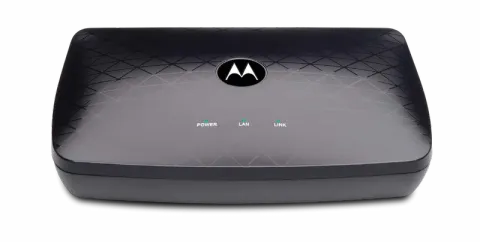
- Motorola MM1025 for most homes. It has a 2.5 Gbps Ethernet port, a pass-through coax port and a point-of-entry filter in the box. The MM2025 is the same adapter as a pair.
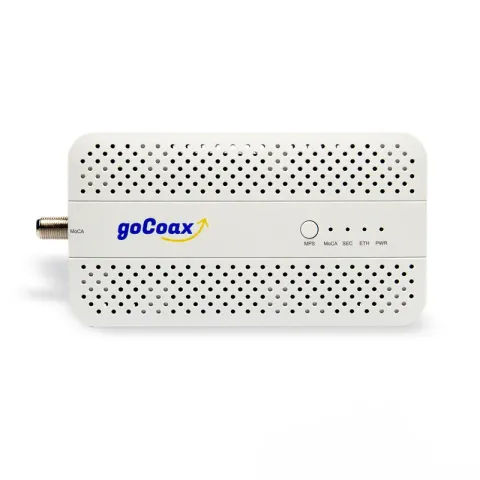
- goCoax MA2500D for adding one more room to a MoCA network you already have.
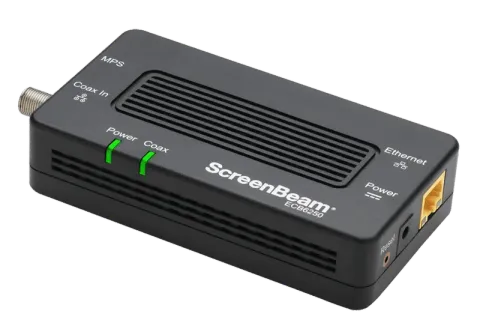
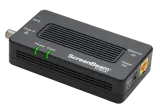
- ScreenBeam ECB6250 when 1 Gbps per connection is enough.
We haven’t tested these adapters ourselves. We picked them from the manufacturers’ specifications against the criteria below. If you’re still deciding between Ethernet, MoCA and powerline, start with Ethernet, MoCA or powerline.
Will MoCA work in your home?
MoCA runs network traffic over the coaxial cable already in your walls. The MoCA alliance pitches it for exactly the job most people buy it for: connecting mesh units or access points by cable. It shares the coax with your TV or internet service, so check that service first.
- Usually fine: Motorola says its adapter works with cable TV, cable internet and Fios coax networks.
- Conflicts: Motorola says it doesn’t work with DirecTV, Dish or other satellite TV, or with AT&T Internet or U-verse, because those services use frequencies that clash with MoCA.
- Cable modems: goCoax says MoCA uses 1,125 to 1,675 MHz. It advises checking your cable modem’s upper frequency, because some DOCSIS 3.1 modems go higher, and using splitters rated for the MoCA range. If you’re buying a modem too, see the best cable modems.
What you’ll need
You need at least two MoCA adapters: one near your router, connected to it by Ethernet, and one in each room that needs a connection. Motorola includes a point-of-entry filter with the MM1025. It goes where the coax enters your home, and Motorola says it helps prevent unauthorized access to your MoCA network.
The criteria that decide it
- MoCA 2.5. All three picks support it. The MoCA alliance claims MoCA 2.5 delivers 2.5 Gbps of actual throughput with under 2.5 ms of latency. Motorola notes that real speeds can be lower because of splitters, long cable runs, slower MoCA devices or slower Ethernet devices.
- An Ethernet port that matches the job. A 2.5 Gbps port only helps if the device or switch at that end and your plan can use more than 1 Gbps. For a 1 Gig plan or a 1 Gbps device, a 1 Gbps port is enough.
- A pass-through port if a TV box shares the outlet. Adapters with two coax ports let a cable box or modem connect through the adapter. Those with one need a splitter.
How the three compare
Motorola lists the MM1025 as a MoCA 2.5 adapter with one 2.5 Gbps Ethernet port. It has device and network coax connectors, includes a point-of-entry filter, and works with MoCA versions back to 1.0.
goCoax lists the MA2500D as a MoCA 2.5 adapter with one coax port and one 2.5 Gbps Ethernet port. It supports up to 16 nodes on one network.
ScreenBeam lists the ECB6250 as a MoCA 2.5 adapter with a 1 Gbps Ethernet port, up to 16 nodes and compatibility with MoCA 2.0, 1.1 and 1.0.
MoCA 2.0, 2.5 and 3.0
- MoCA 2.0: ScreenBeam lists up to 1 Gbps as the maximum throughput over a MoCA 2.0 network for its MoCA 2.0 adapter, and says actual speeds depend on the condition of your coax. The page doesn’t say whether that figure is measured the same way as the MoCA alliance’s 2.5 Gbps “actual” throughput claim for MoCA 2.5.
- Mixing versions: Motorola and ScreenBeam list their picks as working with older MoCA versions (details above). goCoax’s page doesn’t list which older versions the MA2500D works with, and warns that some older products may use outdated MoCA technology that isn’t fully compliant with newer devices such as MoCA 2.5 ones.
- MoCA 3.0: the only MoCA alliance statement on it we found is from January 2022, when the alliance said it would review and update its MoCA 3.0 specifications, with speeds up to 10 Gbps. Its certified-products page, checked on 23 October 2026, has no MoCA 3.0 category.
Why this list is short
We only include adapters whose specifications we could confirm on the manufacturer’s own pages. Three met that bar when this page was written. Prices aren’t listed because they change constantly. Each “Check price on Amazon” button opens an Amazon search for that exact model; the Motorola button searches for the single MM1025, so look for the MM2025 if you want a pair.