Three adapters made this list:
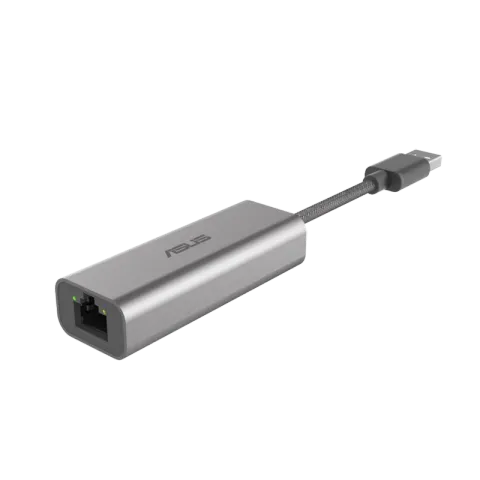
- ASUS USB-C2500 for most people. It adds a 2.5 Gbps Ethernet port to a laptop or desktop through a USB-A port.
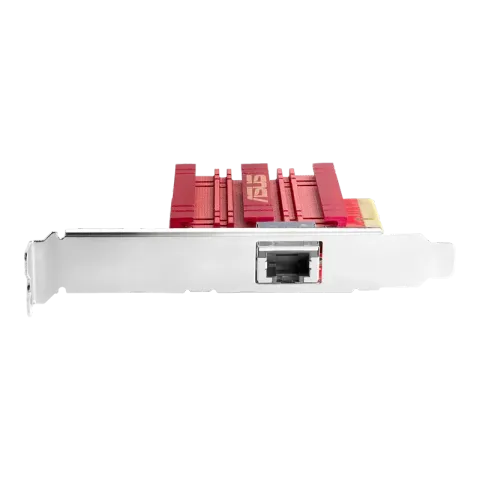
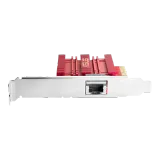
- ASUS XG-C100C for desktops on a 5 or 10 Gbps network. It’s a PCIe card that runs at every common copper speed up to 10 Gbps.
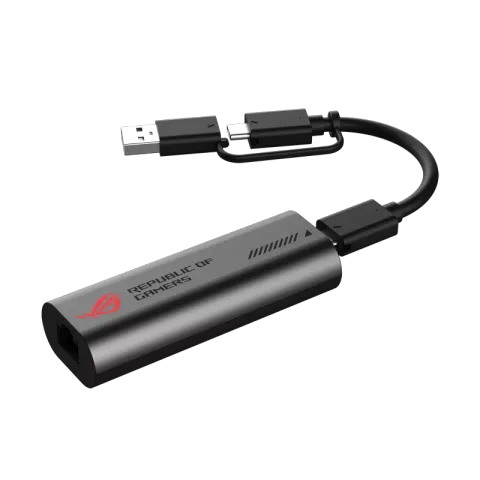
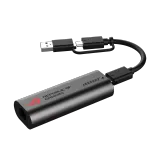
- ASUS ROG USB-C10G for 10 Gbps without a free PCIe slot, on a computer with a USB 3.2 Gen 2x2 (20 Gbps) USB-C port.
We haven’t tested these adapters ourselves. We picked them from ASUS’s specifications against the criteria below.
First, check what you already have
Many computers have a 1 Gbps Ethernet port, but some already have 2.5 Gbps. Intel, for example, sells a 2.5 Gbps Ethernet controller for PCs, the I226-V, launched in 2022. Check your computer’s or motherboard’s specifications, or the link speed your operating system reports while connected to a multi-gig port. If you already have 2.5 Gbps and your network tops out there, you don’t need an adapter.
Match the other end and the cable
A wired link runs at the speed of its slowest part: the adapter, the port at the other end and the cable between them. A 10 Gbps card plugged into a 2.5 Gbps router port runs at 2.5 Gbps. If your router has only one multi-gig port, a multi-gig switch lets several devices share it.
Cabling matters more as speed goes up. IEEE’s objectives target 2.5 Gbps over at least 100 m of Cat5e-class cable and 5 Gbps over at least 100 m of Cat6-class cable. For 10 Gbps, the target over Cat6 is at least 55 m. 2.5G, 5G and 10G Ethernet explained goes through the rest.
How the three compare
ASUS lists the USB-C2500 as a USB 3.2 Gen 1 Type-A adapter with one RJ45 port that runs at 100, 1,000 or 2,500 Mbps. If your laptop only has USB-C ports, you’ll need a USB-C to USB-A adapter or hub.
ASUS lists the XG-C100C as a PCIe card that supports 100BASE-TX, 1000BASE-T, 2.5G and 5GBASE-T, and 10GBASE-T. The V1 and V3 versions use a PCIe x4 slot and the V2 an x2 slot. A low-profile bracket is included for small cases.
The ROG USB-C10G brings 10 Gbps to USB. ASUS lists a USB-C connection rated USB 3.2 Gen 2x2 and one Ethernet port that runs at 10, 5, 2.5 or 1 Gbps; its product page shows a USB-A plug on the same cable and lists Windows, macOS, Linux, iOS and Android support, noting compatibility varies by device. ASUS doesn’t say what speed to expect from a slower USB-C port, a Thunderbolt or USB 4 port, or the USB-A plug, so check that your computer lists a USB 3.2 Gen 2x2 (20 Gbps) port before you buy. Apple’s guide to Mac ports, for example, lists Thunderbolt, USB 4, USB-C and USB-A ports and doesn’t mention USB 3.2 Gen 2x2.
ASUS’s specification pages don’t list operating-system support for the USB-C2500 or XG-C100C, so check driver support for your system on ASUS’s support page before buying.
Why this list is short
We only include adapters whose specifications we could confirm on the manufacturer’s own pages. Three met that bar at the last update; we’ll add a 5 Gbps USB option once one is verified. Prices aren’t listed because they change constantly. Each “Check price on Amazon” button opens an Amazon search for that exact model. For routers with multi-gig ports, see the best routers for multi-gig internet.