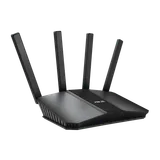

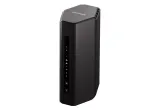
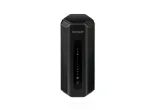
There’s no single best router, only the best one for your plan, your devices and your home. If you need one router for a typical home, these four picks each fit a different situation:
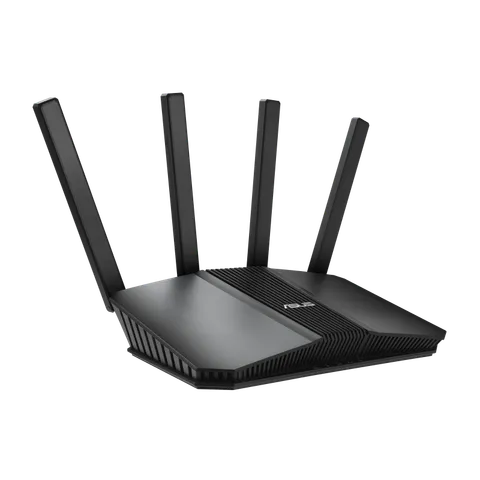
- ASUS RT-BE58U for good value on plans up to about 2 Gig.
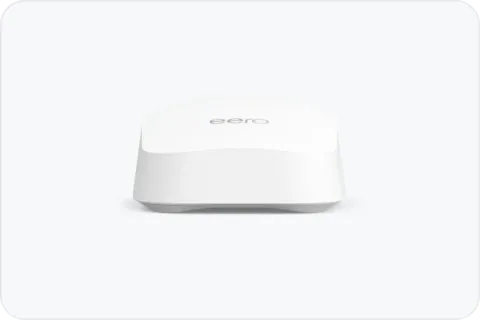
- eero 7 if you’d rather set up and manage everything in an app.
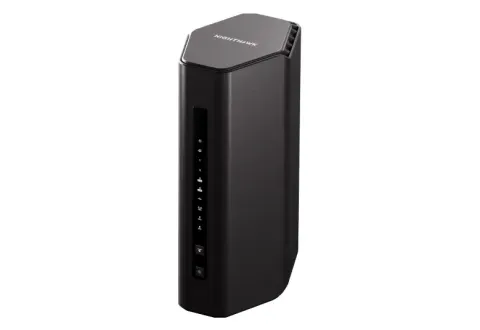
- NETGEAR Nighthawk RS300 for 6 GHz on a mid-range router, if you have Wi-Fi 6E or Wi-Fi 7 devices.
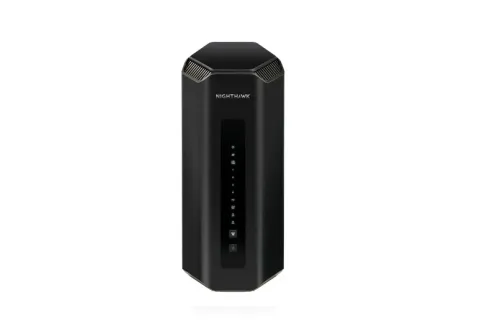
- NETGEAR Nighthawk RS700S for 6 GHz plus 10 Gbps ports, with room for a faster plan later.
We haven’t tested these routers ourselves. They were chosen from the manufacturers’ specifications against the criteria below, and each one’s US regulatory status was checked against the FCC’s most recent approvals.
First: is a single router what you need?
Two situations call for a different list:
- Your plan is faster than about 2 Gig, or you wire in multi-gig devices like a NAS or a gaming PC. Then the internet and LAN ports decide the choice, and the best routers for multi-gig internet are sorted by plan tier.
- Your home is large, spread over several floors or has thick walls. One router may not reach everywhere, and a mesh system is usually the better buy: see Mesh Wi-Fi vs router vs extender and the best mesh Wi-Fi systems.
If neither applies, read on. If you’re not yet sure what you need, How to choose a Wi-Fi router walks through the decision step by step.
The criteria that decide it
- Internet port versus your plan. A router can’t pass more internet speed than its internet (WAN) port allows. ISP guidance reflects this: gFiber recommends a 1 Gbps WAN port for its 1 Gig plan and a 10 Gbps WAN port for its multi-gig plans. All four picks have at least a 2.5 Gbps internet port, enough for typical plans with some headroom.
- 6 GHz, if your devices can use it. Only Wi-Fi 6E and Wi-Fi 7 devices use 6 GHz; see Wi-Fi 6E vs Wi-Fi 7.
- Wired ports. For a device or two plugged in, one extra fast port is plenty. If you wire in several multi-gig devices, the multi-gig list above is the better fit.
- Room to grow. A router that can later anchor a mesh network saves replacing it if your coverage needs change.
- Verifiable US regulatory status. Every pick comes from a manufacturer with a current FCC Conditional Approval covering that product line: ASUS’s RT series until 6 March 2028, eero routers until 31 October 2027, and NETGEAR’s Nighthawk RS series until 1 October 2027, as of the FCC’s notice of 9 September 2026. The FCC router rule explained covers what that means.
The picks at a glance
| Pick | Wi-Fi | Internet port | Other fast ports | Best for |
|---|---|---|---|---|
| ASUS RT-BE58U | Wi-Fi 7, 2.4 + 5 GHz (BE3600) | 2.5 Gbps | None beyond 1 Gbps | Value, plans up to about 2 Gig |
| eero 7 | Wi-Fi 7, 2.4 + 5 GHz (BE5000) | 2.5 Gbps | One 2.5 Gbps | App-first homes |
| NETGEAR RS300 | Wi-Fi 7, 2.4 + 5 + 6 GHz (BE9300) | 2.5 Gbps | Two 2.5 Gbps LAN | 6 GHz devices, mid-range |
| NETGEAR RS700S | Wi-Fi 7, 2.4 + 5 + 6 GHz (BE19000) | 10 Gbps | One 10 Gbps LAN | 6 GHz devices, one-router homes |
Specifications are the manufacturers’ own: ASUS for the RT-BE58U, eero for the eero 7, which it rates for up to 2,000 sq ft, and NETGEAR for the RS300, which it rates for up to 2,500 sq ft, and the RS700S, which it lists with a coverage claim of up to 3,500 sq ft. Coverage figures are each manufacturer’s claim, not a measurement of your home. The full specifications, strengths and limitations of each are in the cards below.
eero says all eero users can group devices into profiles and schedule when they can connect, without a subscription.
What we left out, and why
This list is deliberately short. We only include models whose specifications we could confirm on the manufacturer’s own page and whose US regulatory status we could match to a dated FCC notice. Routers built around multi-gig ports, such as the ASUS RT-BE88U, are on the best routers for multi-gig internet instead. Prices aren’t listed because they change constantly; each router’s “Check price on Amazon” button opens its Amazon listing, where you can see the current price. For gaming, the router’s queue management matters more than its label: see Do you need a gaming router?. If you want your router to double as a Thread border router for smart-home devices, see the best routers with Thread.