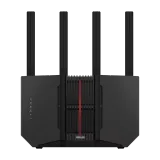
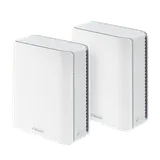
Short answer: if you want a router where nothing important costs extra and you can manage everything from a web browser, buy an ASUS router. ASUS says its routers’ advanced network security and parental controls are free, and you can set them up at a web address without installing an app. The RT-BE55 suits most homes, the RT-BE92U suits multi-gig plans, and the ZenWiFi BT8 is the mesh option. NETGEAR routers can be run from a browser, but their Armor security service is a paid subscription. eero routers need an app, and several of their features need an eero Plus subscription.
What each brand charges for, and whether it needs an app
These three brands all hold an FCC Conditional Approval for their consumer routers, so any of them can be a pick on this site.
| Brand | Included without a subscription | Needs a subscription | Setup without a phone app? |
|---|---|---|---|
| eero | Profiles, pausing, blocking devices, guest Wi-Fi, WPA3, automatic updates | eero Plus: threat protection, content filters, ad blocking, VPN, remote network access and more | No: setup and management use eero’s app |
| NETGEAR | Router features in the web interface | NETGEAR Armor security, after a 30-day free trial | Yes: from a browser at routerlogin.net |
| ASUS | Advanced network security and parental controls, by ASUS’s account | Nothing ASUS lists for these features | Yes: from a browser at the router’s address |
The eero row comes from eero’s own list of what’s included and what eero Plus adds. eero says its routers require its Android or iOS app for setup and management. NETGEAR says Armor is free for 30 days and then an annual subscription. NETGEAR calls its Nighthawk app the easiest way to set up a router, but says you can install it from the web interface instead. You can then log in at routerlogin.net in a browser, while the app route uses a NETGEAR account. Prices aren’t listed here because they vary by region and change.
If parental controls are the main reason you’re shopping, the best routers for parental controls compares filtering in more depth, including which features cost extra.
How we chose
On an ASUS router you open the router’s address, such as 192.168.50.1, or www.asusrouter.com. The first login takes you to a quick setup and asks you to create the router’s own login, which isn’t a cloud account. ASUS’s app is an alternative, not a requirement. How to log in to your router covers the same step for other brands.
All three picks list the same feature set on ASUS’s spec pages: AiProtection security, parental controls, Adaptive QoS, port forwarding, VPN Fusion and WireGuard VPN. That’s why the choice between them comes down to your plan speed and your home, not features.
Our picks
| ASUS RT-BE55 | ASUS RT-BE92U | ASUS ZenWiFi BT8 | |
|---|---|---|---|
| Best for | Most homes, plans up to ~2 Gig | Multi-gig plans, 6 GHz devices | Homes that need mesh |
| Wi-Fi | Wi-Fi 7 dual-band (BE3600) | Wi-Fi 7 tri-band with 6 GHz (BE9700) | Wi-Fi 7 tri-band mesh (BE14000) |
| Internet port | 2.5 Gbps | 10 Gbps | 2.5 Gbps |
| Other ports | Four 1 Gbps | Four 2.5 Gbps | One 2.5 Gbps, two 1 Gbps per unit |
| Parental | Parental controls | Parental controls with Web & Apps Filters | Parental controls |
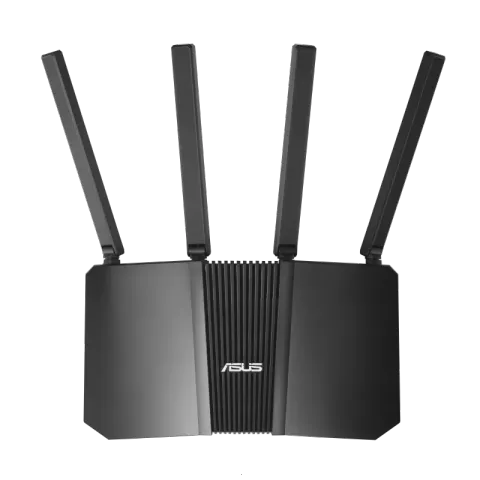
ASUS RT-BE55. A dual-band Wi-Fi 7 router with a 2.5 Gbps internet port and four 1 Gbps LAN ports. ASUS lists AiProtection, parental controls, Adaptive QoS, port forwarding, VPN Fusion and WireGuard. It’s the sensible default for plans up to about 2 Gig. The best budget Wi-Fi routers compares it with other low-cost options.
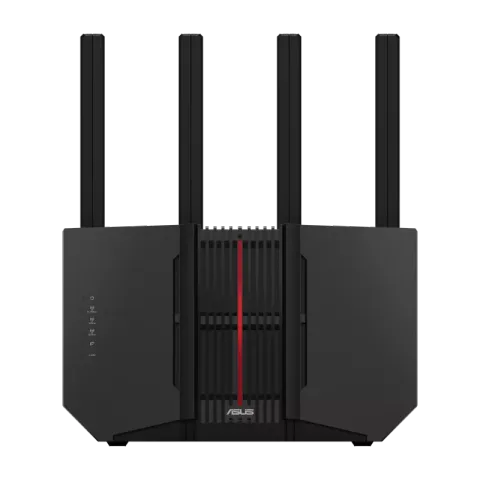
ASUS RT-BE92U. A tri-band Wi-Fi 7 router with 6 GHz, a 10 Gbps WAN/LAN port and four 2.5 Gbps ports. Its parental controls add ASUS’s Web & Apps Filters on top of the shared feature set. Choose it for plans faster than 2 Gig or a home with many 6 GHz devices. The best routers for multi-gig internet explains when the faster ports matter.
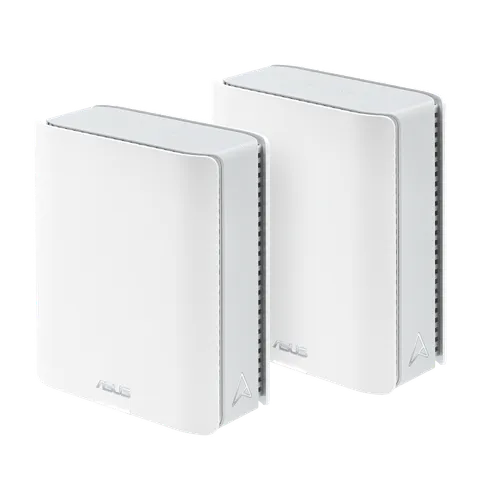
ASUS ZenWiFi BT8. A tri-band Wi-Fi 7 mesh system. Each unit has a 2.5 Gbps WAN port, a 2.5 Gbps LAN port and two 1 Gbps LAN ports, with the same included features as ASUS’s single routers. Choose it when one router can’t cover the home; the best mesh Wi-Fi systems compares it with other mesh options.
“Free” is ASUS’s own description of these features, and the specifications come from ASUS’s spec pages. ASUS’s RT and ZenWiFi series held an FCC Conditional Approval to 6 March 2028 as of the FCC’s notice of 9 September 2026, which also lists NETGEAR’s Nighthawk and Orbi routers to 1 October 2027 and eero’s routers to 31 October 2027. See the FCC router rule explained.
No subscription doesn’t mean no upkeep
Without an app pushing notifications, it’s on you to keep the router current. Turn on automatic firmware updates or check for them regularly (how to update router firmware), and set a strong admin password during setup. How to secure your router has the full checklist.